
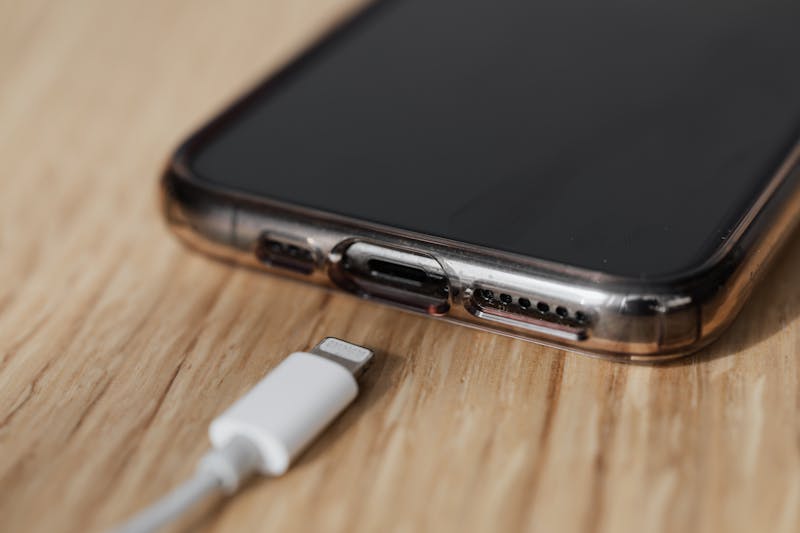
If your bedside table has a tangle of charging cables plugged into a power board, or your kitchen bench has three different charger bricks competing for outlet space, you've probably wondered about USB power points. They're neat, convenient, and increasingly affordable — but are they actually worth the upgrade?
Short answer: yes, with caveats. Here's the full picture.
What Are USB Power Points?
A USB power point is a standard Australian power outlet that also includes one or more USB charging ports built into the face plate. You keep the standard 240V outlets for normal plugs, and gain USB ports for directly charging phones, tablets, earbuds, and other devices — no charger brick required.
They fit into standard Australian wall boxes, so replacing an existing power point with a USB version doesn't require any new wiring or wall modifications.
Types of USB Power Points
USB-A
The rectangular USB port that's been standard for 20 years. Still common but increasingly outdated:
- Maximum charging speed typically 5V/2.4A (12W) — adequate for phones but slow by modern standards
- Cable availability is universal but declining for new devices
- Most new phones, tablets, and laptops have moved to USB-C
- Our recommendation: Avoid USB-A-only models in 2026. They'll feel outdated within a couple of years
USB-C
The reversible, oval-shaped port that's now the universal standard:
- Standard USB-C charging: 5V/3A (15W) — fast enough for most phones
- USB-C with Power Delivery (PD): up to 20V/3A (60W) — can charge laptops, tablets at full speed
- Compatible with virtually all new devices: iPhones (15+), Samsung, Google Pixel, iPads, MacBooks, AirPods, and more
- Our recommendation: USB-C is the only sensible choice for new installations in 2026
Combo (USB-A + USB-C)
Some power points offer both USB-A and USB-C ports. These are a good transitional choice — you can charge newer USB-C devices and older USB-A devices without worrying about cable types. The Clipsal Iconic range and similar premium brands offer clean-looking combo options.
The Pros
- Eliminates charger clutter: No more charger bricks taking up outlet space. Plug your cable directly into the wall
- Convenience: Charge in any room without hunting for a charger. Particularly useful at bedsides, desks, and kitchen benches
- Frees up outlets: Your 240V outlets stay available for appliances while USB ports handle device charging
- Clean aesthetics: A cable directly into the wall looks much tidier than a charger brick
- Guest-friendly: Visitors can charge devices anywhere without asking for a charger
The Cons
- Technology changes: USB standards evolve. USB-A models installed 5 years ago are already less useful. USB-C should have longer relevance, but nothing is forever
- Charging speed limitations: Built-in USB ports may not match the latest fast-charging standards. Your phone's original charger might be faster than a generic wall USB port
- Cost vs. charger bricks: A USB power point costs $180–$280 installed. A quality USB-C charger brick costs $30–$50. Pure economics favour the charger brick — it's a convenience upgrade, not a cost-saving one
- Replacement complexity: If the USB component fails, the whole mechanism needs replacing (by an electrician). A failed charger brick, you just buy a new one
Where USB Power Points Make the Most Sense
- Bedside tables: Both sides of the bed. You charge your phone every night — having a USB port in the wall eliminates the bedside charger clutter permanently
- Home office desk area: USB-C with PD can charge laptops and tablets directly from the wall
- Kitchen bench: Charge your phone while cooking without a charger taking up bench space
- Entryway or mudroom: A convenient charging spot when you walk in the door
- Kids' rooms: Simplifies charging — they just need a cable, not a charger brick
What to Look for When Buying
- USB-C ports (mandatory in 2026) — avoid USB-A-only models
- Power Delivery support — for faster charging and laptop compatibility
- Quality brand — Clipsal Iconic, HPM Excel, or similar. Cheap imports may not meet Australian safety standards
- Minimum 18W per USB-C port — anything less and you're getting slower charging than your phone's included charger
- Low standby power draw — good models draw less than 0.3W when idle
Installation Costs (Sydney 2026)
- Replace existing power point with USB model: $180–$280 per point
- New USB power point (new location): $250–$400 per point
- Bulk replacement (4+ points at once): $150–$220 per point
Most homeowners install 4–6 USB points in key locations: both bedsides, desk, kitchen bench, and maybe the living room. At bulk pricing, that's typically $600–$1,300 for a meaningful upgrade to your home's convenience.
Frequently Asked Questions
Should I get USB-A or USB-C power points?
In 2026, choose USB-C. The industry has standardised on USB-C for phones, tablets, laptops, and accessories. USB-A is being phased out. If you're installing new USB power points today, get ones with USB-C ports (ideally with Power Delivery for faster charging). Some models offer both USB-A and USB-C for transition compatibility.
How much does it cost to install USB power points?
Replacing an existing power point with a USB model costs $180–$280 per point (supply + install). This includes the USB power point mechanism (typically $40–$80 for quality brands) and electrician labour. If you're replacing multiple points at once, the per-unit cost drops as the electrician is already on site.
Do USB power points use electricity when nothing is plugged in?
Modern USB power points have minimal standby draw — typically less than 0.3W per USB port when idle. That's about $1–$2 per year per point in electricity. Some premium models have auto-sensing that reduces standby to near zero when no device is detected. The cost is negligible.
Can I install USB power points myself?
No. In NSW, replacing a power point mechanism — even a like-for-like swap — is classified as electrical work that must be performed by a licensed electrician. The internal wiring connections involve mains voltage and must comply with AS/NZS 3000. DIY electrical work risks fines, insurance voidance, and safety hazards.
Ready to Upgrade?
Want USB power points installed in your home? Call Randwick Electrical on 0413 707 758 — we supply and install quality USB-C power points from trusted brands. We'll recommend the best locations and get it done in a single visit.